
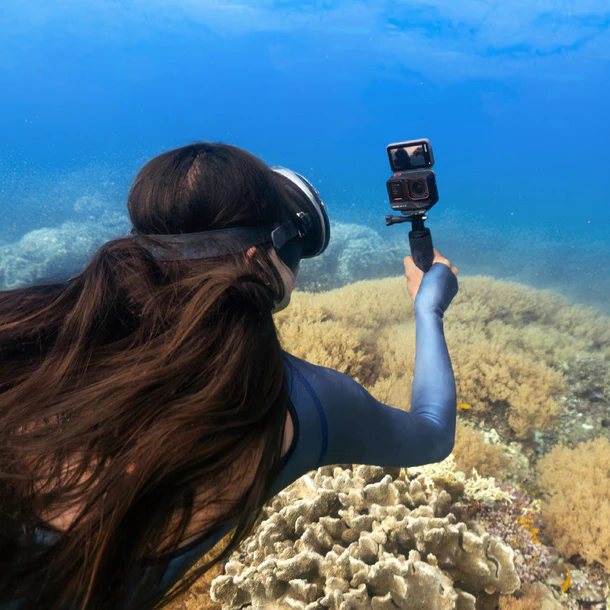
Understanding the Features of insta360 Cameras
Design and Build Quality
The design and build quality of insta360 cameras are integral to their appeal and functionality. Each model is designed with portability in mind, allowing users to capture stunning 360-degree content with ease. The lightweight nature of these cameras makes them ideal for travel, whether you're hiking along a remote trail or exploring an urban landscape. The materials used in the construction ensure durability, with weather-resistant features that protect the camera from dust and moisture. The ergonomic design also enhances user experience, enabling a comfortable grip for longer shooting sessions.
Camera Specifications and Settings
When it comes to specifications, insta360 cameras offer robust features that cater to both amateur and professional photographers. The resolution capabilities are noteworthy, with models capable of capturing 5.7K video quality and 18MP photos, providing high-definition results that are perfect for both virtual reality and traditional media. Key settings include adjustable exposure, shutter speed, and ISO, which allow users to customize their shooting conditions based on lighting and environmental challenges.
Software and Editing Tools
The editing suite provided with the insta360 ecosystem is another standout feature. The insta360 app offers an intuitive interface for quick edits and enhancements. Users can create dynamic shots through features such as time-lapse and bullet time. Furthermore, the software supports advanced editing capabilities, enabling users to stitch, trim, and merge video clips seamlessly. The compatibility with additional software like Adobe Premiere Pro ensures that users can enhance their content even further, catering to a range of editing preferences.
Getting Started with Your insta360
Unboxing and Initial Setup
Unboxing your insta360 camera is the first step towards creating immersive content. Inside the box will typically be the camera, a charging cable, and various mounts depending on the model. Begin by charging the camera fully before its first use. Once charged, download the insta360 app on your smartphone, as it will guide you through the initial setup, including connecting via Wi-Fi and basic configuration settings. Familiarize yourself with the buttons and controls on the camera, as they will become intuitive the more you use it.
Basic Shooting Techniques
When starting with your insta360 camera, grasping basic shooting techniques is crucial. Always stabilize the camera to avoid shaky footage; this can be achieved with a tripod or by using a gimbal. Experiment with different shooting modes, such as 360 video, HDR photography, and standard video to understand how each mode performs in various conditions. Always pay attention to the framing and composition; for 360-degree content, giving viewers a complete experience should be a priority.
Tips for Beginners
For those new to 360 photography, consider these practical tips to elevate your skills. Start by keeping the camera's lens clean to avoid unwanted artifacts in your images. Understand lighting—the golden hour is often the best time to shoot. Avoid backlighting situations where the sun directly faces the camera to reduce glare and enhance clarity. Lastly, don’t hesitate to explore tutorials on different platforms; they can provide valuable insights into the creative potential of your insta360 camera.
Advanced Techniques in 360 Photography
Creative Angles and Shots
Mastering creative angles and shots can significantly enhance the quality of your 360 content. Use unique perspectives such as overhead shots or low-angle captures to create a more immersive experience. Consider incorporating movement by walking or spinning while recording to add a dynamic feel to your videos. Using your surroundings creatively, such as framing a scene with trees or structures, can also add depth to your shots.
Combining Video and Photography
Combining video and photography can produce captivating content that engages viewers on multiple levels. Consider transitioning from stills to video within the same scene—this allows for a narrative story to unfold in your media. The insta360 app provides tools for seamlessly merging these formats, helping to create vlogs that not only document experiences but also showcase your artistic prowess.
Using Advanced Editing Features
By tapping into advanced editing features, you can transform your raw footage into polished final products. Utilize the reframing tool to adjust the focal point of your video after it has been shot, allowing for a creative selection of angles that might not have been captured in a single take. Experiment with built-in effects like slow motion, and the use of music overlays can set the mood and enhance storytelling, elevating the overall viewing experience.
Sharing and Promoting Your insta360 Content
Best Platforms for Sharing 360 Media
Once your content is ready, selecting the right platforms for sharing becomes essential. Websites such as YouTube, Facebook, and Instagram are well-suited for hosting 360-degree videos, as they support interactive viewing. Uploading to specialized platforms like VeeR or Littlstar can also increase exposure among audiences specifically interested in immersive media. Remember to optimize your content with appropriate tags and descriptions to boost its visibility and engagement.
Building an Audience
Building an audience around your insta360 content requires consistent engagement and quality outputs. Interact with your followers by responding to comments and asking for feedback on your work. Create a posting schedule to keep your audience engaged and promote their return. Consider collaborating with other creators to reach wider audiences and combining skill sets to produce more captivating content.
Engaging with Your Viewers
Engagement is critical in maintaining a loyal audience. Use Q&A sessions, polls, or interactive stories to encourage viewer participation. Sharing behind-the-scenes content and personal stories related to your shoots can enhance the human element of your brand and foster a deeper connection with your viewers. Never underestimate the power of storytelling; it can set your content apart and make it more memorable.
Frequently Asked Questions
What is the typical battery life of an insta360 camera?
The battery life of an insta360 camera varies, but most models offer between 60 to 120 minutes of continuous recording, depending on settings.
Can you use insta360 cameras in low-light conditions?
Yes, insta360 cameras can perform reasonably well in low-light settings, but for best results, use additional lighting equipment.
What editing software is compatible with insta360 footage?
insta360 offers its own editing software, but footage can also be edited with popular programs like Adobe Premiere Pro and Final Cut Pro.
Is it possible to live-stream with insta360 cameras?
Yes, several insta360 models support live streaming directly to social media platforms like Facebook and YouTube.
What accessories enhance the insta360 experience?
Essential accessories include tripods, extended batteries, mounts, and stylus pens for editing on mobile devices.


